


Introducing Four Stripes: A Proven Roadmap for Interior Design Project Management

Posted on

Written by

Four Stripes

Duration of Read

5  min

Table of Contents

Share Article

Interior design projects ask designers to hold the creative vision while managing hundreds of details, decisions, relationships, and handoffs behind it. Selections evolve. Pricing changes. Vendors and clients need answers. Schedules move. And the information that keeps everything moving can quickly become scattered across spreadsheets, email, files, and separate systems.

Four Stripes was built to bring that work into one connected place. From the Project Roadmap and Finish Schedule to client communication, vendor information, project files, and pricing, the platform gives interior designers a clearer way to see what’s happening, what’s next, and what needs their attention.

Built From Real Interior Design Experience

Four Stripes grew from Kim Parker’s 27 years of experience in the interior design industry and the systems she developed through years of managing real projects and running her own design business.

Kimberly Parker founder of Four Stripes

It isn’t a generic project management system adapted for interior designers. It was shaped around the details designers manage every day, and it continues to be used in Kim’s own studio.

That perspective influences everything from how projects are structured to how teams, clients, vendors, selections, pricing, and files stay connected throughout the life of a project.

See Four Stripes in Action

The individual tools are important, but the real value of Four Stripes comes from how they work together. Take a closer look at the platform and see how the Roadmap, project information, Finish Schedule, client experience, and day-to-day workflow connect.

What Makes the Project Roadmap Different

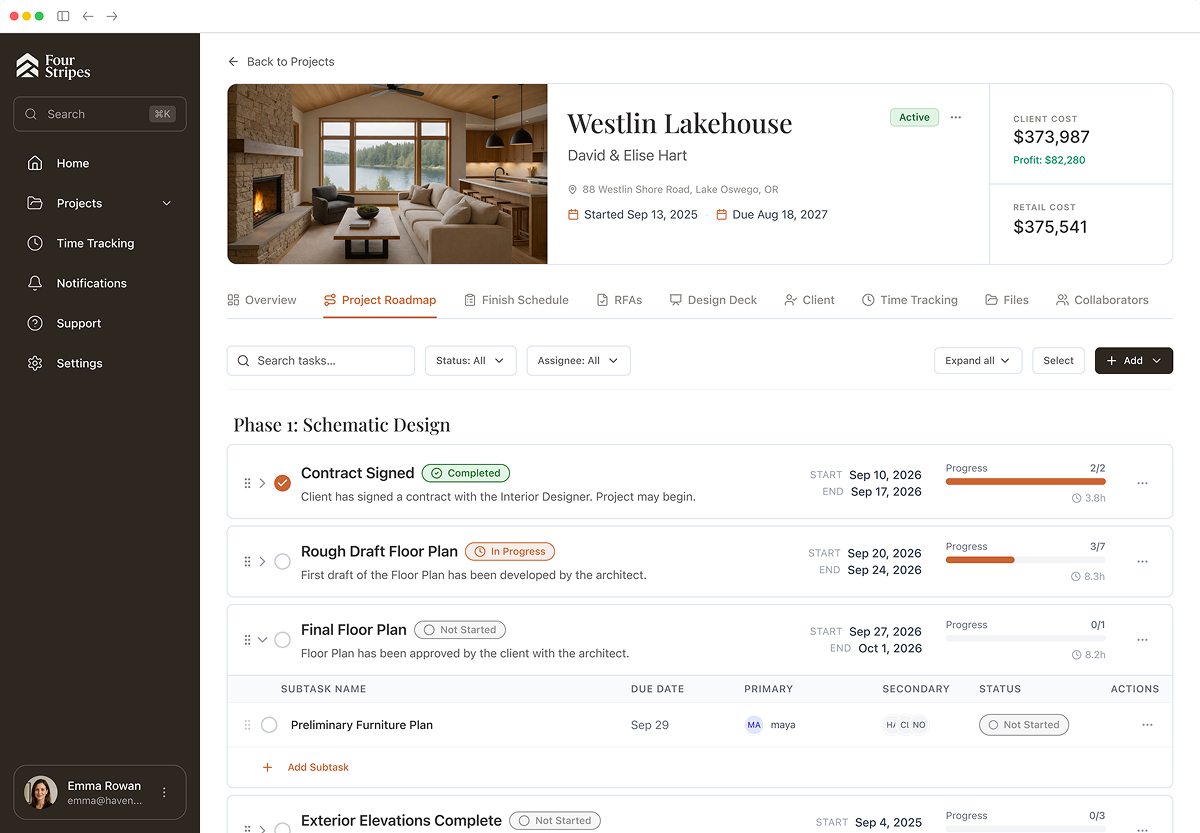
At the heart of Four Stripes is the Project Roadmap, a proven framework designed to help interior designers guide a project from concept through completion.

Every project is organized into three phases: Schematic Design, Design Development, and Construction Administration and FF&E. Benchmarks mark the major steps and Subtasks sit beneath them, each with an owner, a due date, and a status. Progress rolls up as work is completed, so you can see where a project stands at a glance and delegate without losing track of what’s next.

The Roadmap gives you a clear view of what has been completed, what’s in progress, and what’s coming next. Rather than managing each project a little differently or relying on disconnected task lists, teams can work from a consistent process while still adapting to the needs of each project.

That visibility makes it easier to anticipate decisions, coordinate with clients, builders, architects, and vendors, and keep the work moving without losing sight of the creative vision.

Bring Your Work. Let AI Help.

You don’t have to start over to get organized in Four Stripes. Bring in the project information you already have, then connect Four Stripes with Claude or ChatGPT to help create or update projects, organize data, import project details, and take repetitive work off your plate.

Four Stripes gives you the structure. AI helps you move through it faster.

The Tools Behind a More Organized, Profitable Business

Four Stripes brings the work together in a system built specifically for interior designers. Each feature works together to support your process and your bottom line:

Project Dashboard

Start with a clear view of what needs your attention. Recent activity, project updates, notifications, upcoming work, and active projects are visible in one place, making it easier to stay ahead without digging through separate systems.
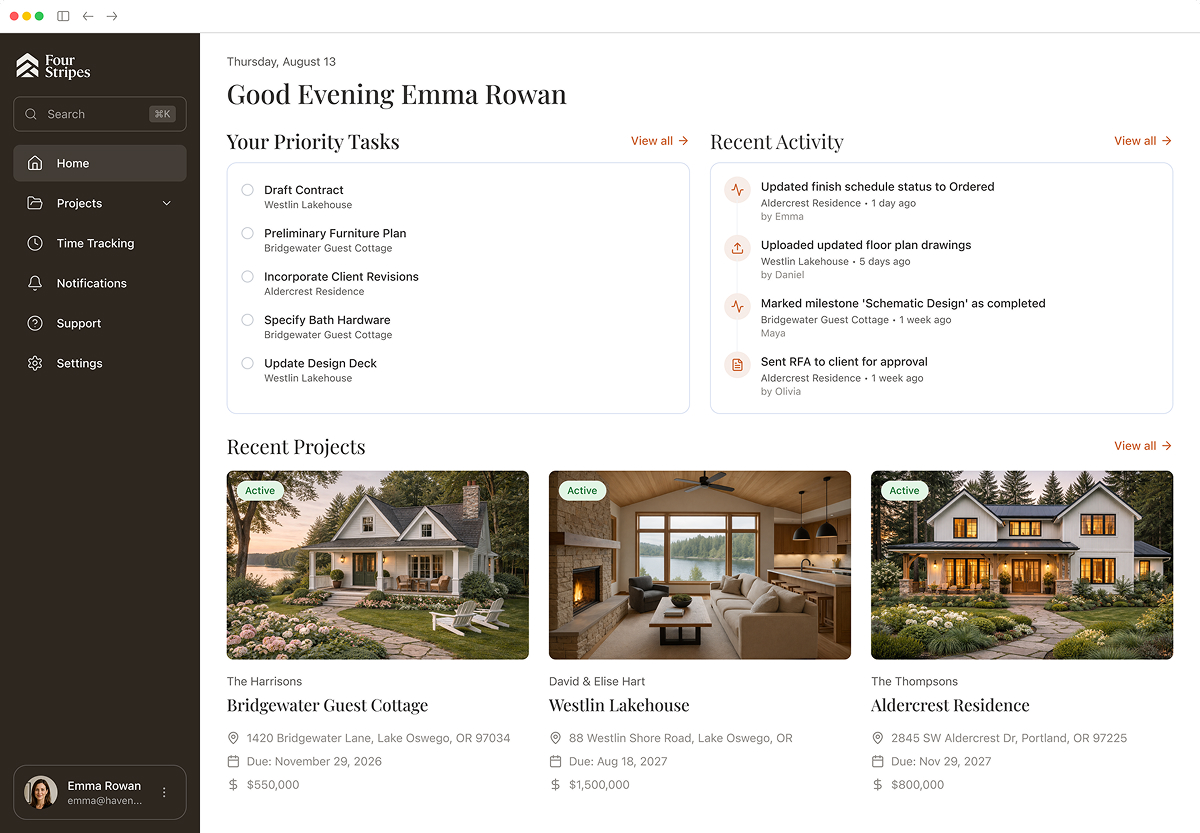
Home Page view in Four Stripes

Finish Schedule

Finish schedules can become some of the most complex working documents on a project, with selections, specifications, pricing, vendors, and decisions changing throughout the process. Four Stripes keeps those details connected and easier to manage as the project evolves.

AI-assisted import can also help bring existing Finish Schedule information into Four Stripes, reducing the manual work of rebuilding selections and project details.
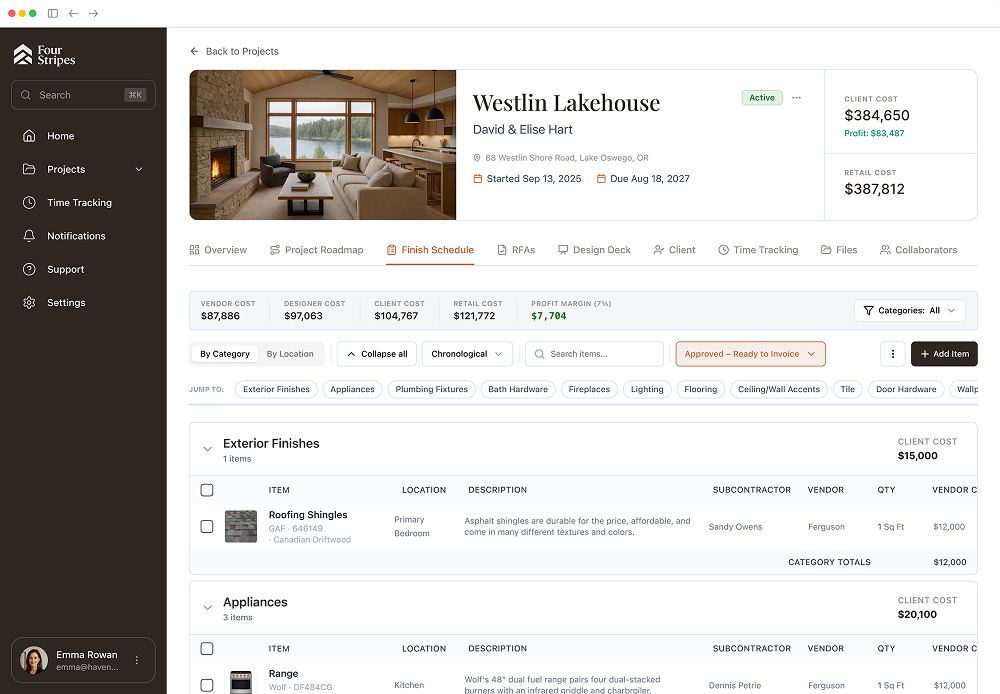
Finish Schedule in Four Stripes. Showing Approved ready to invoice items

Vendor Management and Pricing

Keep vendor information and project pricing connected to the work they belong to. Vendor multipliers calculate Vendor, Designer, Client, and Retail pricing for each item, and organized vendor data gives you greater visibility into the financial details behind a project.

Project Defaults

Set your categories, budget allowances, locations, and product types once. Every new project starts from that structure, so your process is repeatable from day one instead of rebuilt each time.

Design Deck

Upload and track Design Deck revisions in one place, keep a clear history of Draft and Final versions, designate the current deck, and share it with clients or collaborators by link or email.
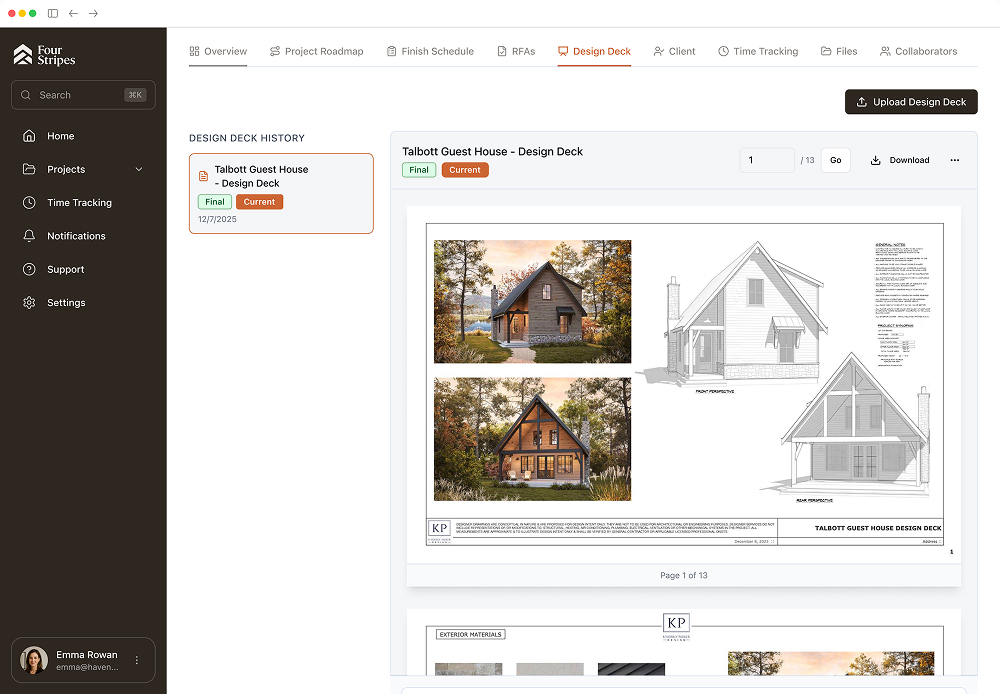
Design Deck in Four Stripes

Files

Keep project files together with the work they support. Four Stripes keeps project documents connected to the work they support, so your team can work from the most current information.

Client Portal

Clients need visibility into a project, but they don’t need to see everything happening behind the scenes. The Client Portal gives them a dedicated place to follow project progress, review finishes and the current Design Deck, respond to Requests for Approval (RFAs), and view invoices, while you maintain control over the working details of the project. Once an RFA is approved, it can move into the invoicing workflow, keeping decisions, pricing, approvals, and payment activity connected.
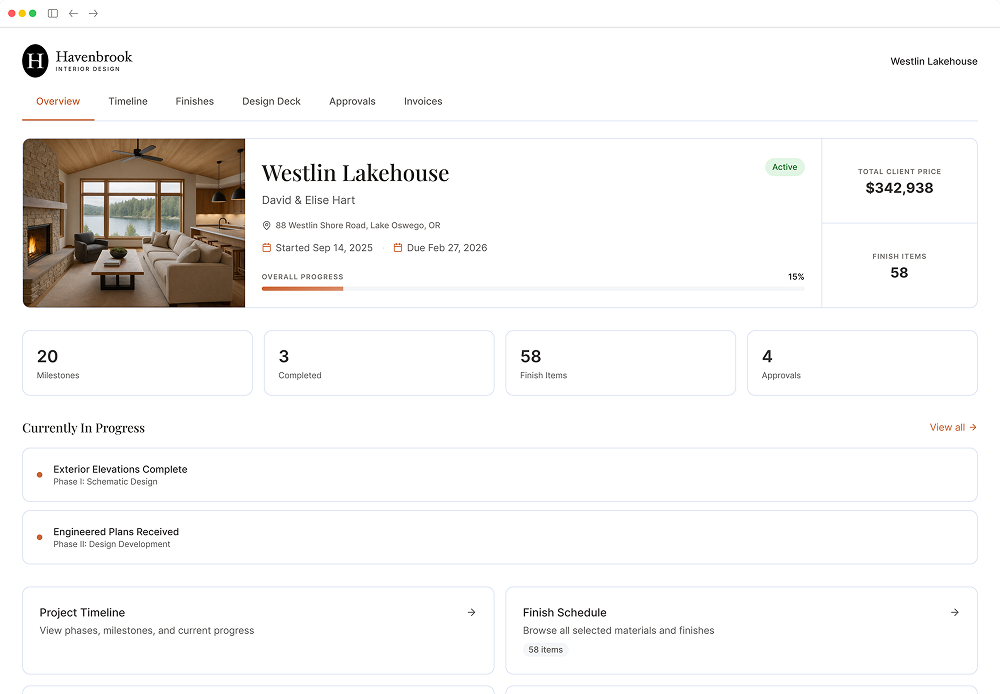
Client Portal in Four Stripes

‍

A Stronger Foundation Behind the Design

Four Stripes was built around a simple idea: exceptional design deserves an equally thoughtful process behind it.

By bringing project details, people, decisions, and workflows into clearer view, the platform helps interior designers spend less time managing complexity and more time leading the work.

Ready to Get Started?

Open Four Stripes and start exploring your Project Roadmap. Want AI to help bring your existing work into your workspace? In Four Stripes, go to Support → Connect an AI Assistant for the latest setup guide.

Have questions along the way? Visit our FAQ for answers to the most common questions about getting started and using Four Stripes.


‍

‍

‍

‍

‍

Related Posts

Your Next Project Starts Here

Ready to Put Four Stripes to Work?

Start with one free month and see how one connected system can help you manage projects, pricing, approvals, and the details that keep everything moving.